> ## Documentation Index
> Fetch the complete documentation index at: https://cobalt-55-abhishek.mintlify.site/llms.txt
> Use this file to discover all available pages before exploring further.
# Read Data from 3rd Party Apps
> In this, you'll learn how you can fetch data from the third party applications by using API Proxies.
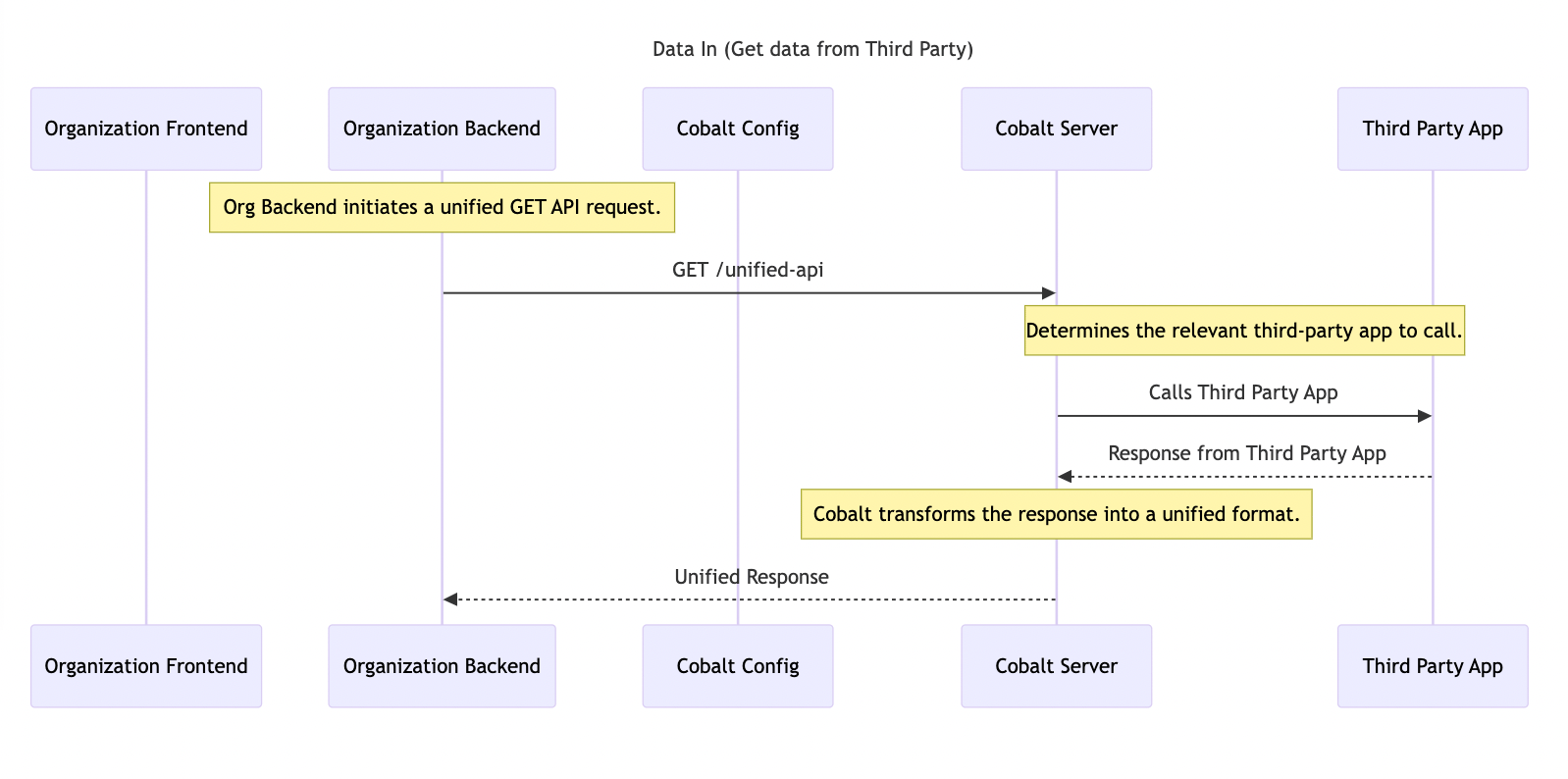 **API Proxies** allows your organization to integrate your services better with the workflows in Cobalt. These help you to setup your own APIs to be used in workflows which can be used to fetch data to your system.
You can learn in detail about API Proxies in our guide [here](/legacy/build/basics/proxies).
## Create API Proxy
Follow these steps to create an API Proxy:
Navigate to `Developer` in Cobalt > `API Proxies` > Click on the `New Action` button > provide a `Name` and `Description` for the API Proxy > Click on the `Create Action` button.
Click on the `Fields` tab > Click `Edit` > And add Custom fields for your action.
Click on the `API Call` tab > Click `Edit` > Configure the API call to be executed upon triggering the action by defining HTTP Method, Path Params etc.
**API Proxies** allows your organization to integrate your services better with the workflows in Cobalt. These help you to setup your own APIs to be used in workflows which can be used to fetch data to your system.
You can learn in detail about API Proxies in our guide [here](/legacy/build/basics/proxies).
## Create API Proxy
Follow these steps to create an API Proxy:
Navigate to `Developer` in Cobalt > `API Proxies` > Click on the `New Action` button > provide a `Name` and `Description` for the API Proxy > Click on the `Create Action` button.
Click on the `Fields` tab > Click `Edit` > And add Custom fields for your action.
Click on the `API Call` tab > Click `Edit` > Configure the API call to be executed upon triggering the action by defining HTTP Method, Path Params etc.
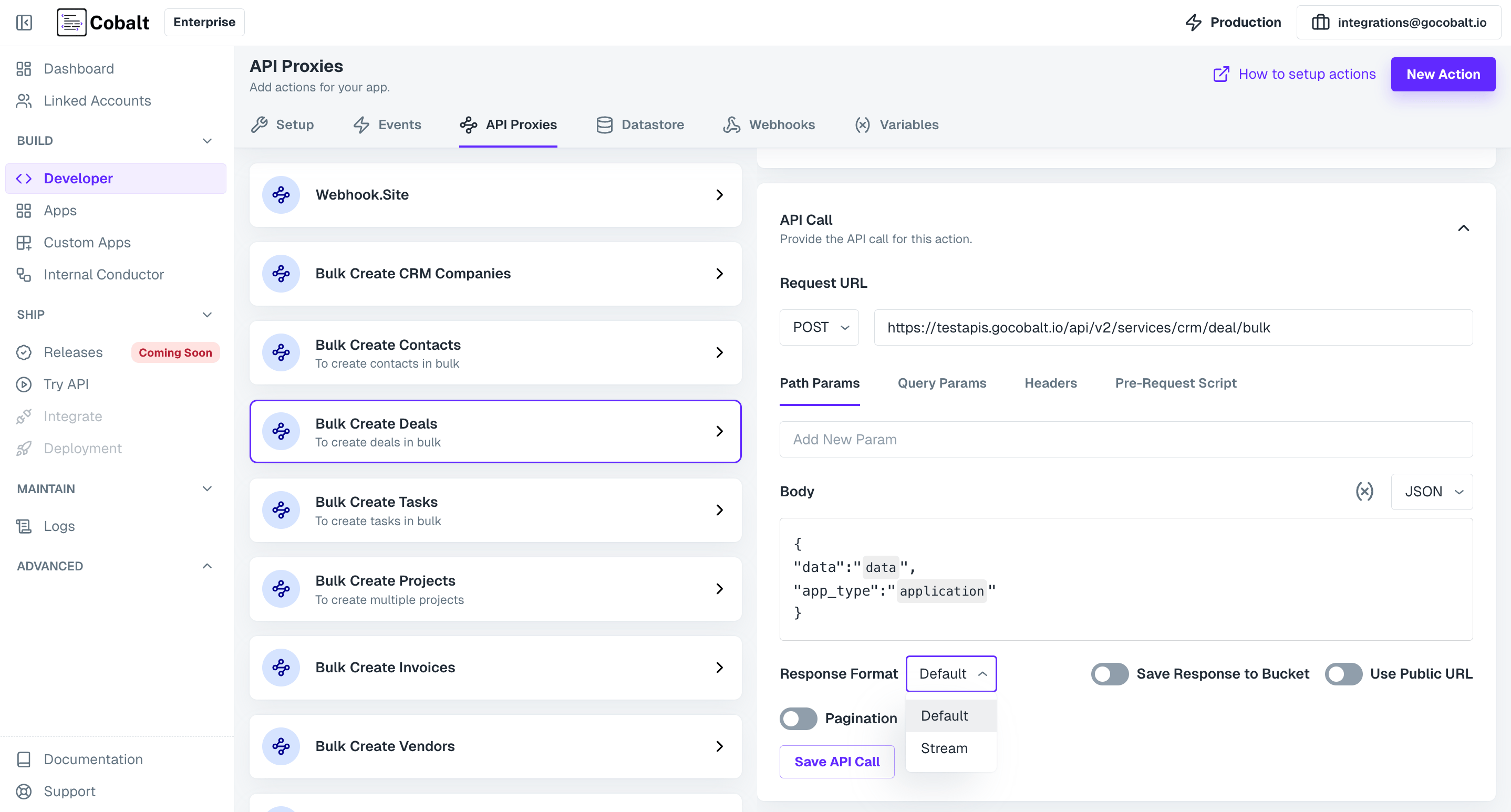 These API Proxies can now be added as a node in the workflow and you can send any data that you want through it.
## Checkpoint
Congratulations!! You have created an API Proxy successfully which can be used to read data from the workflows and use it.
These API Proxies can now be added as a node in the workflow and you can send any data that you want through it.
## Checkpoint
Congratulations!! You have created an API Proxy successfully which can be used to read data from the workflows and use it.